


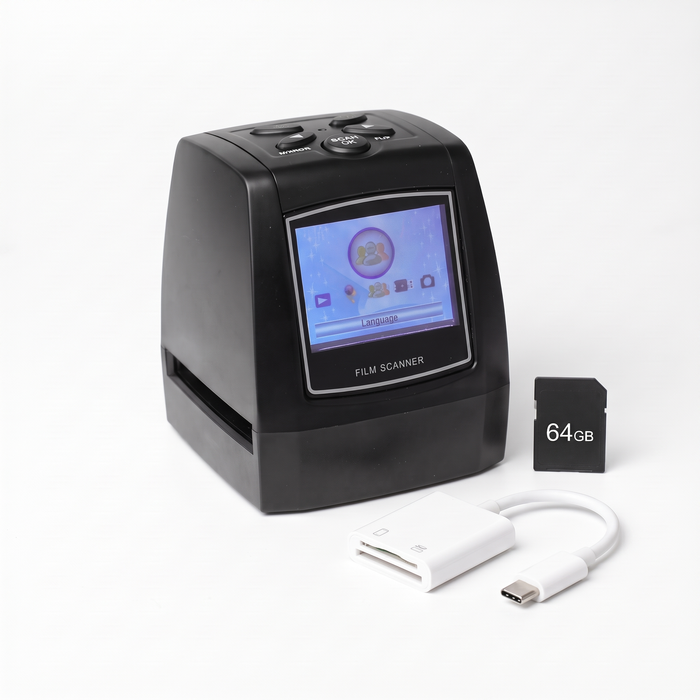
Product photographs. Complete Pack images show the included SD card and USB-C reader; screen content is for illustration.
Slidemora
Film & Slide Scanner
- ✓Scans 35mm slides and negatives, plus 126, 110 and Super 8 film
- ✓14MP sensor — preview each picture on the 2.4-inch screen before you save it
- ✓Saves JPEG files to a memory card, so scanning needs no computer
Scanner-only pack: bring your own SD/SDHC card (32 GB recommended). The Complete Packs include the card and a USB-C card reader for phones, tablets and laptops.
In the box
- Film & slide scanner
- Slide holder (35mm mounted slides)
- Film holders (35mm, 126, 110 and Super 8 strips)
- AC power adapter (AU plug)
- USB cable
- AV cable for TV out
- Cleaning brush
- English user guide
The Complete Packs add the SD card and USB-C card reader to the box.
Free AU shipping · 30-day returns
That box you've been meaning to sort? Start tonight.
No big project and no software — three simple steps, one slide at a time. Before you start, connect power and insert an SD card (included in the Complete Packs; 32 GB recommended).

Insert your slide or negative
Place a 35mm slide or negative strip in the matching holder. Slide the holder into the side opening and align one frame. Follow the printed guide and never force the holder.

Preview it, then press scan
Check the image on the built-in screen. Select the appropriate film mode and use the scan/save controls described in the guide to capture a JPEG on your card. Advance the holder for the next frame.

Copy and share
After saving, switch off before removing the card. Use a compatible card reader to copy the files to your computer or phone, then share the pictures you choose.
How to transfer your photos
No Wi-Fi or Bluetooth. Check your reader and device compatibility.Use an SD card reader compatible with your phone, its connector and operating system. Import or copy the JPEG files using your device’s supported app.
Insert the SD card into a compatible built-in SD slot or USB card reader, then copy the JPEG files into a folder.
Copy your photos to a format and storage device supported by your TV, then use its photo viewer. Check your TV manual before buying accessories.
What will you find?
You're not scanning negatives.
You're getting your photos back.
The holidays. The birthdays. The people you haven't seen in years. See what's in the box, save the ones that matter, and leave the rest.
 Original negative
Saved photo
From this……to this.
Illustration of how negative mode turns a colour negative into a positive picture. Your results depend on the condition of your film.
Every box tells a story. Here's some of what you might find.
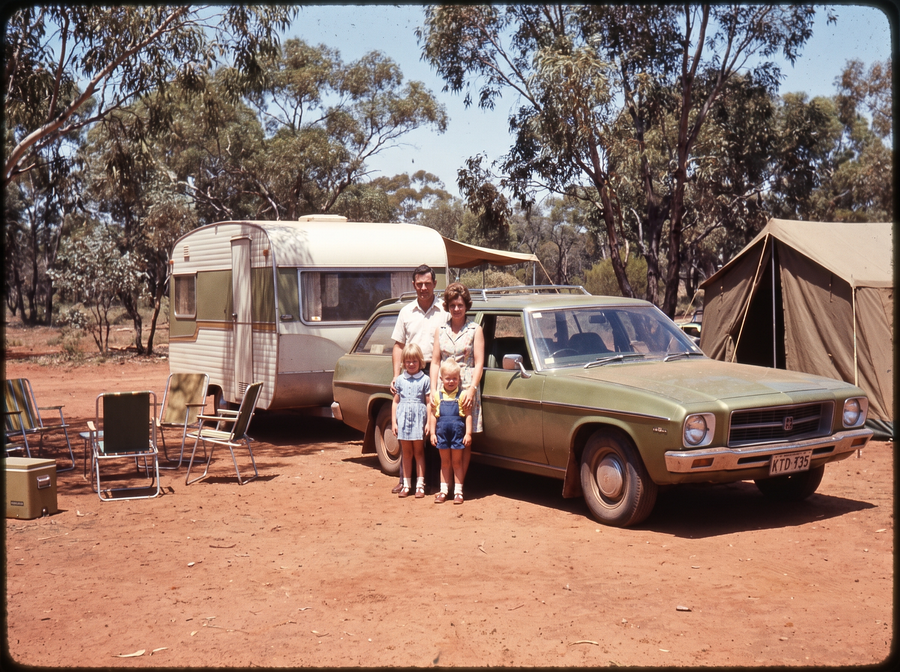
Family holidays
Caravan trips, beaches and long drives.
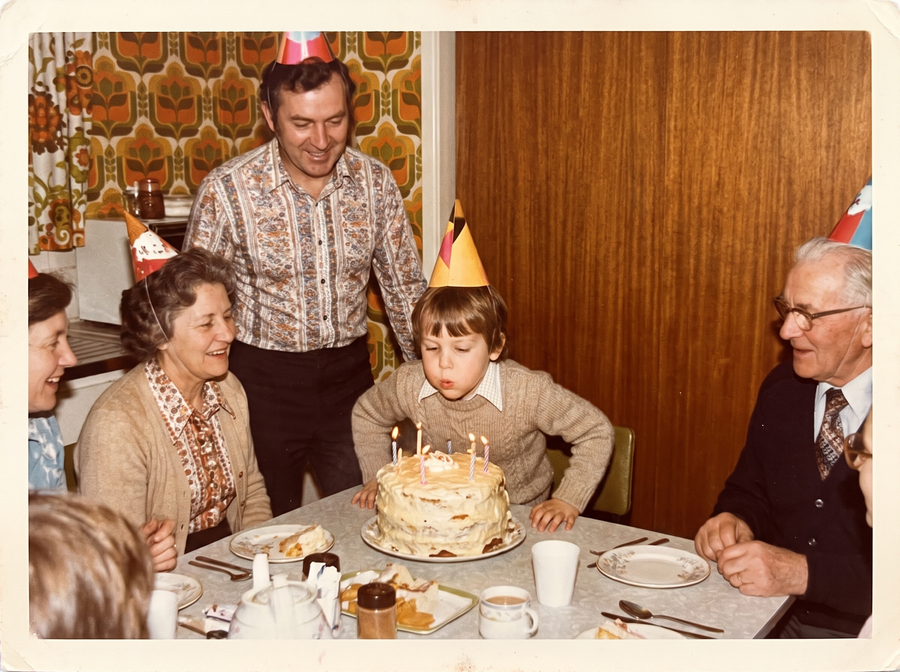
Birthdays
The small moments that mattered.

The big days
Weddings, christenings and celebrations.
Illustrations, not customer scans.
Digital copies, with realistic expectations.
What you see on the screen is what you save. Slidemora makes faithful digital copies of your film — a well-kept slide scans clean, a faded one scans faded.
JPEG photos
Save individual frames as JPEG files on the SD card. Copy them to your phone or computer with the card reader to organise, view and share.
Keep the originals
Dust and scratches on the film stay visible, so give each slide a quick brush first. Keep your originals and make a second backup of the files.
14MP sensor
14-megapixel sensor (4416 × 3312 pixels), with up to 22 MP software interpolation. Pictures look sharp on phones, tablets and TV screens and print well beyond standard photo sizes. Manufacturer specification.
Buy with confidence
Take your time. We're here if you need us.
There's no rush to get through the whole collection. Start with a few slides, come back when you feel like it, and message us if you get stuck.
30-day change-of-mind returns
Changed your mind? Return the scanner unused, complete and in its original packaging within 30 days of delivery.
Read the policy →Australian Consumer Law
Faulty items are covered by the consumer guarantees under the Australian Consumer Law, which aren't limited to 30 days.
Real help when you need it
Questions about getting started or moving photos to your phone? Message us and we'll reply within 2 business days.
Contact us →Your originals stay at home
Your slides and negatives never leave the house. No posting your family's photos to a scanning service.
We're here for you
Getting started, organising your scans or copying them to a phone — if you have a question before or after your scanner arrives, we'll help.
Contact usThe box has waited this long. You can take it one slide at a time.
Questions people ask before buying.
Supported: standard 35mm mounted slides (mounts about 5 × 5 cm) and 35mm negative strips, 126 (Kodapak, 27 × 27 mm) film, 110 pocket film (17 × 13 mm) and single Super 8 movie-film frames. Printed photos and videotapes are not supported, and unusually thick glass or metal mounts may not fit the holder — check with us first.
No. It scans transparent photographic film: 35mm slides and negatives, 126, 110 and Super 8 frames. Use a suitable flatbed scanner or photo-scanning service for printed photos.
14-megapixel JPEG files (4416 × 3312 pixels; up to 22 MP with interpolation) that look sharp on phones, tablets and TVs and print well. Results depend on the condition of the original film: the scanner copies what is there and does not repair scratches, mould or fading.
No computer is needed to preview and save scans on the device. You need power and an SD card — included in the Complete Packs, or bring your own (32 GB recommended) with the Scanner-only pack. To view and share files on another device, copy them afterwards.
Take the SD card out of the scanner and plug it into the USB-C card reader (included in the Complete Packs), then import the JPEG files in your phone's Photos or Files app. Works with USB-C iPhones (iPhone 15 and newer), Android phones, tablets and laptops. Transfer is not wireless.
Choose a Complete Pack and the SD card (32GB or 64GB) and a USB-C card reader are included. The Scanner-only pack ships without a card — any standard SD/SDHC card works, 32 GB recommended. The manufacturer lists cards up to 32 GB; our 64GB pack comes with formatting instructions.
You scan one frame at a time and advance the holder manually. Sorting, handling, loading and transferring all add time. Start with a small batch; we do not promise a particular number of photos per hour.
Yes. The scanner lives at home, so there's no deadline. Scan a handful of slides when you have a spare half hour, then pick up where you left off another day.
Contact us with your order number and a description of the issue. Our 30-day change-of-mind policy applies to unused, complete items in original packaging, with return postage paid by the buyer. Rights for faulty goods under Australian Consumer Law are separate and are not restricted to 30 days. Read the full policy.
Shipping to Australia is free and orders are dispatched within 3 days. We also have shipping configured for New Zealand, the United Kingdom and Canada — select your delivery country in the header and check the shipping option and total at checkout before ordering.
Keep your original film. After transferring scans, keep at least one additional backup on a separate device or a suitable backup service. A single SD card can be lost or damaged.
Slidemora Film & Slide Scanner
Choose your pack
The same 14MP scanner in every pack. Choose the storage that suits your collection.
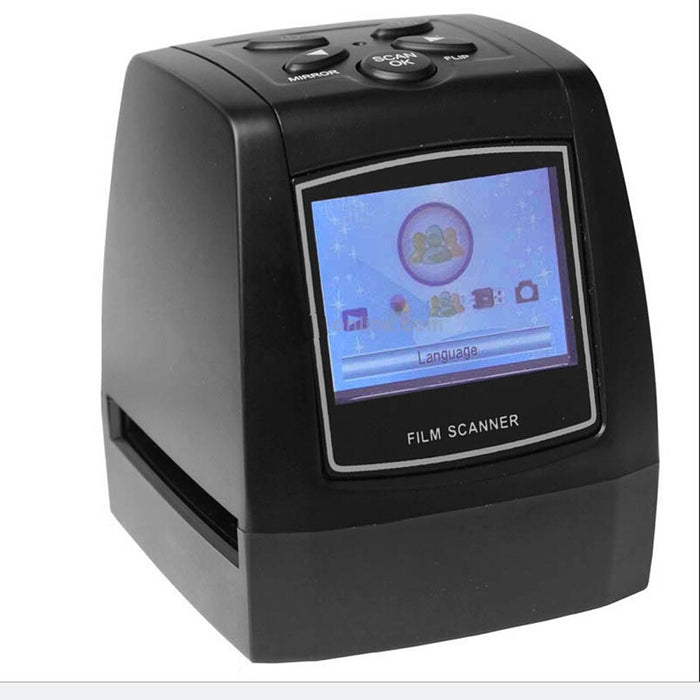
Scanner only
$149.00
- Film & slide scanner
- Film holders for 35mm, 126, 110 and Super 8
- AU power adapter, cables and brush
Bring your own SD/SDHC card (32 GB recommended).
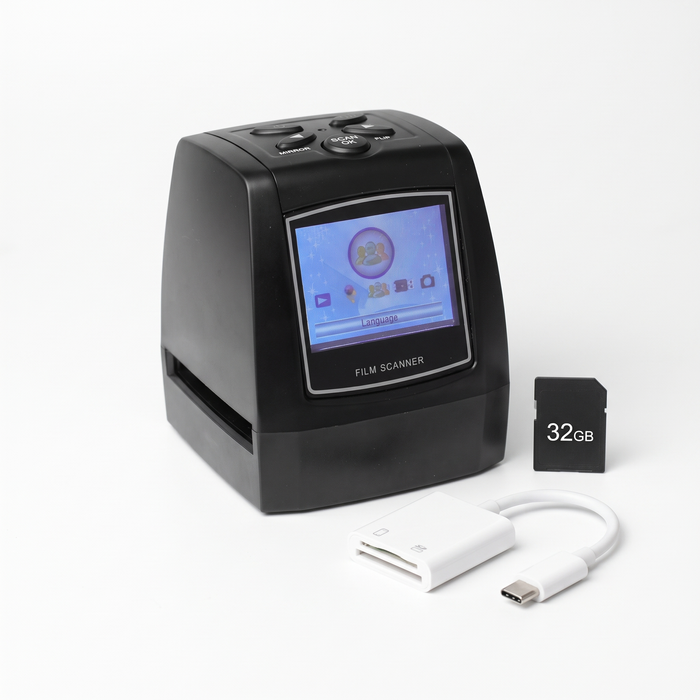
Complete Pack · 32GB
$169.00
- Film & slide scanner
- 32GB SD card
- USB-C card reader for phones and laptops
Everything you need, straight out of the box.
Complete Pack · 64GB
$179.00
- Film & slide scanner
- 64GB SD card
- USB-C card reader for phones and laptops
For very large collections. May need FAT32 formatting first — instructions included.
- Free shipping to Australia
- Dispatched within 3 days
- 30-day returns
You don't need to finish your whole collection today. Just start with the first slide.